> For the complete documentation index, see [llms.txt](https://docs.hubyte.de/llms.txt). Markdown versions of documentation pages are available by appending `.md` to page URLs; this page is available as [Markdown](https://docs.hubyte.de/faq-fuer-seo/english-documentation/gruppen.md).
# Groups
Questions are organised in **groups**, e.g. "Shipping", "Payment" or "Product XY". On the FAQ page every group is shown as a sub-heading with its questions below.
You find the groups under **Content > FAQ for SEO > tab Groups**.
## Create and edit a group
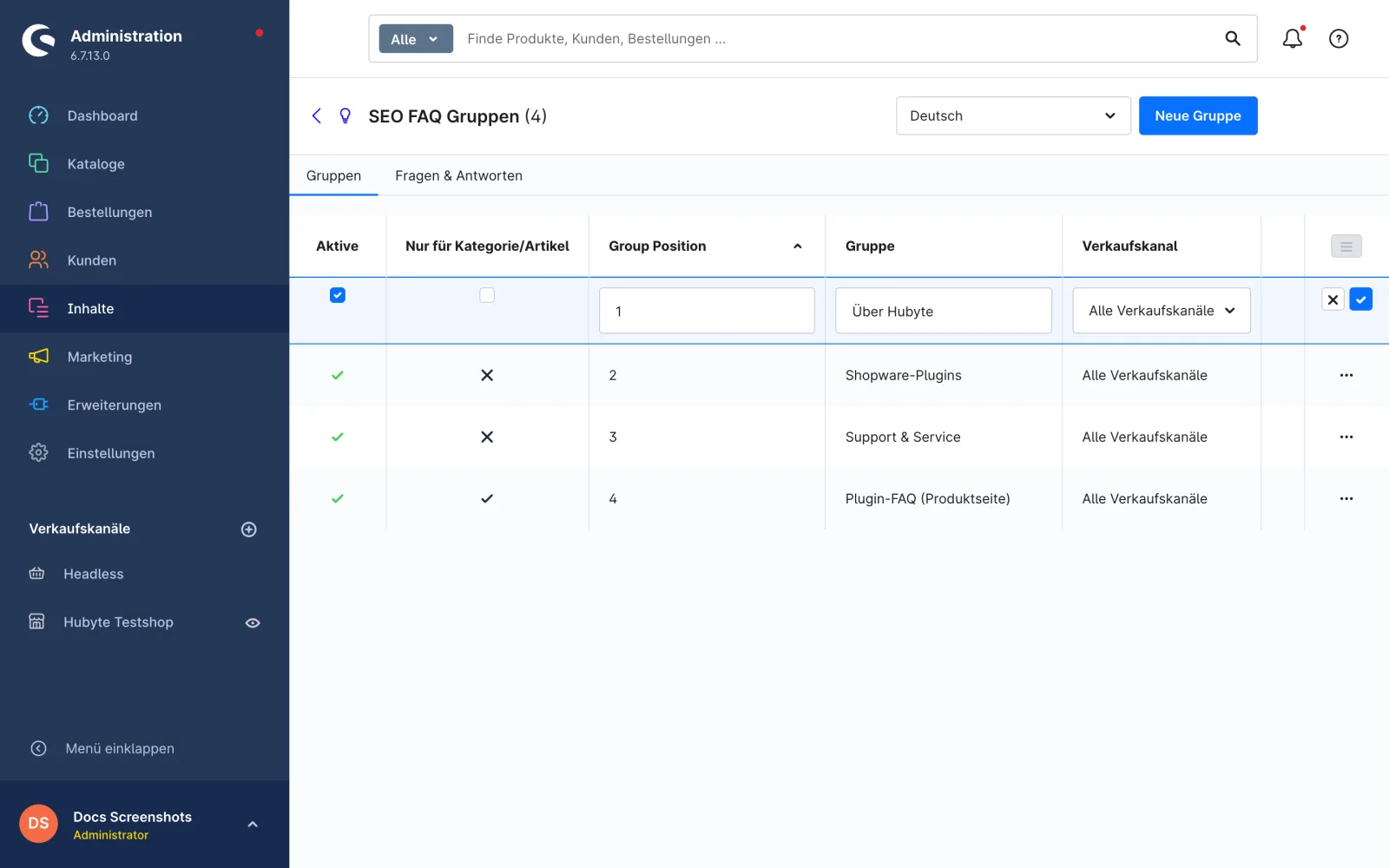
1. Click **New Group**. A group named "New Group" is created immediately.
2. Double-click the row to edit it.
3. Adjust the fields and save the row using the check mark.
Editing a group (double-click the row)
## Columns
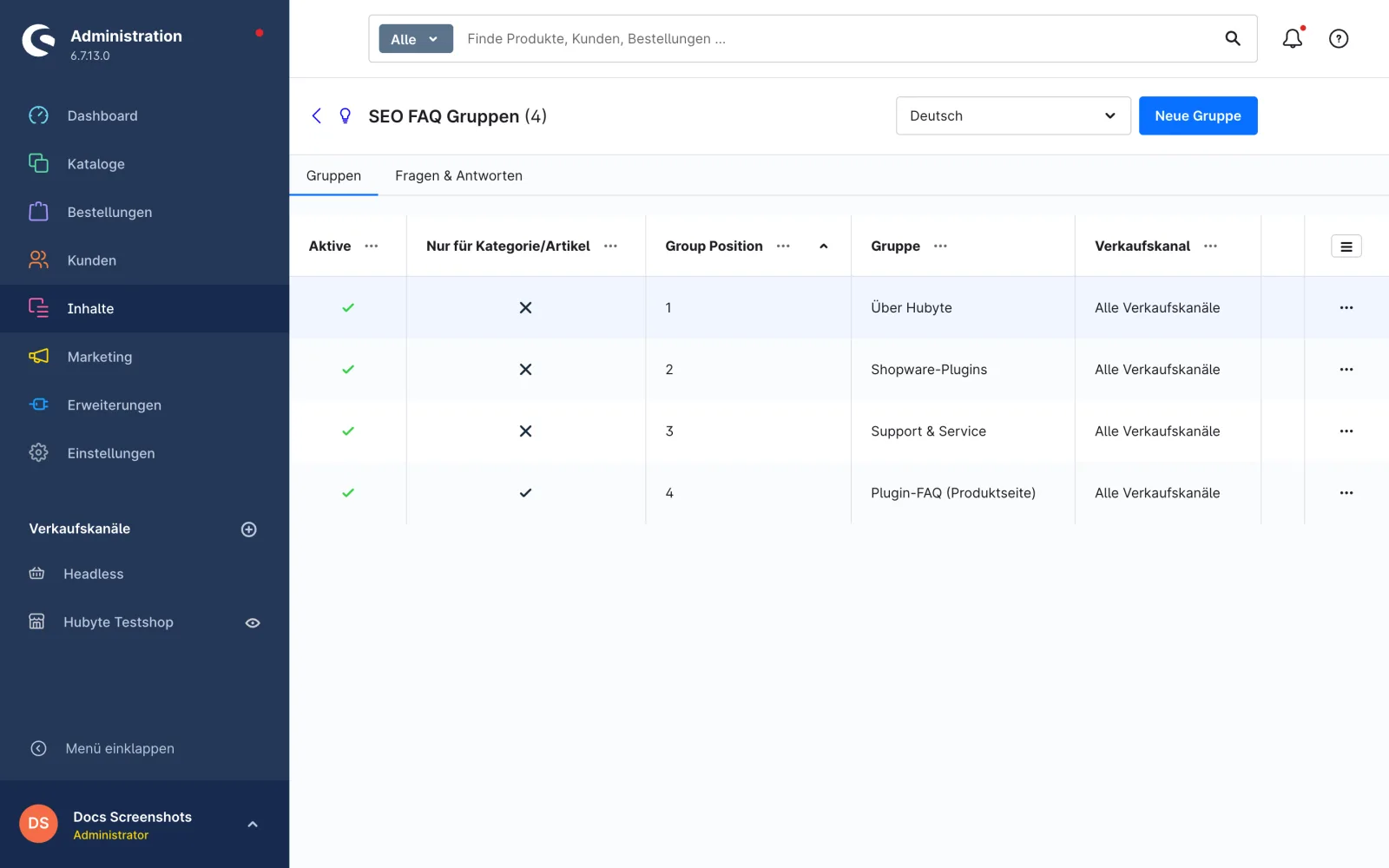
| Column | Description |
| ----------------------------- | ------------------------------------------------------------------------------------------------------- |
| **Active** | Green check mark = group is shown in the storefront, red X = group is hidden (incl. all its questions). |
| **Only for category/product** | Group is only used in shopping experiences (see below). |
| **Group Position** | Sort order of the groups on the FAQ page (ascending). |
| **Group** | Name of the group, shown as heading. Translatable via the language switch. |
| **Sales Channel** | Sales channel the group appears in. Empty or "All Sales Channels" = all sales channels. |
## Only for category/product
Some questions do not belong on the general FAQ page but only to a specific category or product, e.g. "Which frame sizes is the nucleus box available for?". For these, enable **Only for category/product** on the group.
For groups with this option:
* They are **not** shown on the FAQ overview page (`/faq`).
* Their questions get **no URL** and **no meta data of their own** (calling the question URL returns 404).
* They are **not** added to the sitemap.
* In the [shopping experience element](/faq-fuer-seo/english-documentation/erlebniswelten.md) the questions are shown as usual but not linked to a question page.
* The **schema.org `FAQPage`** structured data is **still rendered** on the category or product page.
> **Tip:** In the shopping experience element you can filter the group selection to these groups; they are labelled "(Only category/product)" in the selection.
Group overview with the columns Active and Only for category/product
## Delete a group
Deleting a group **also deletes all assigned questions**. Create a [CSV export](/faq-fuer-seo/english-documentation/import-export.md) beforehand if needed.