> For the complete documentation index, see [llms.txt](https://docs.hubyte.de/llms.txt). Markdown versions of documentation pages are available by appending `.md` to page URLs; this page is available as [Markdown](https://docs.hubyte.de/faq-fuer-seo/english-documentation/fragen-antworten.md).
# Questions & answers
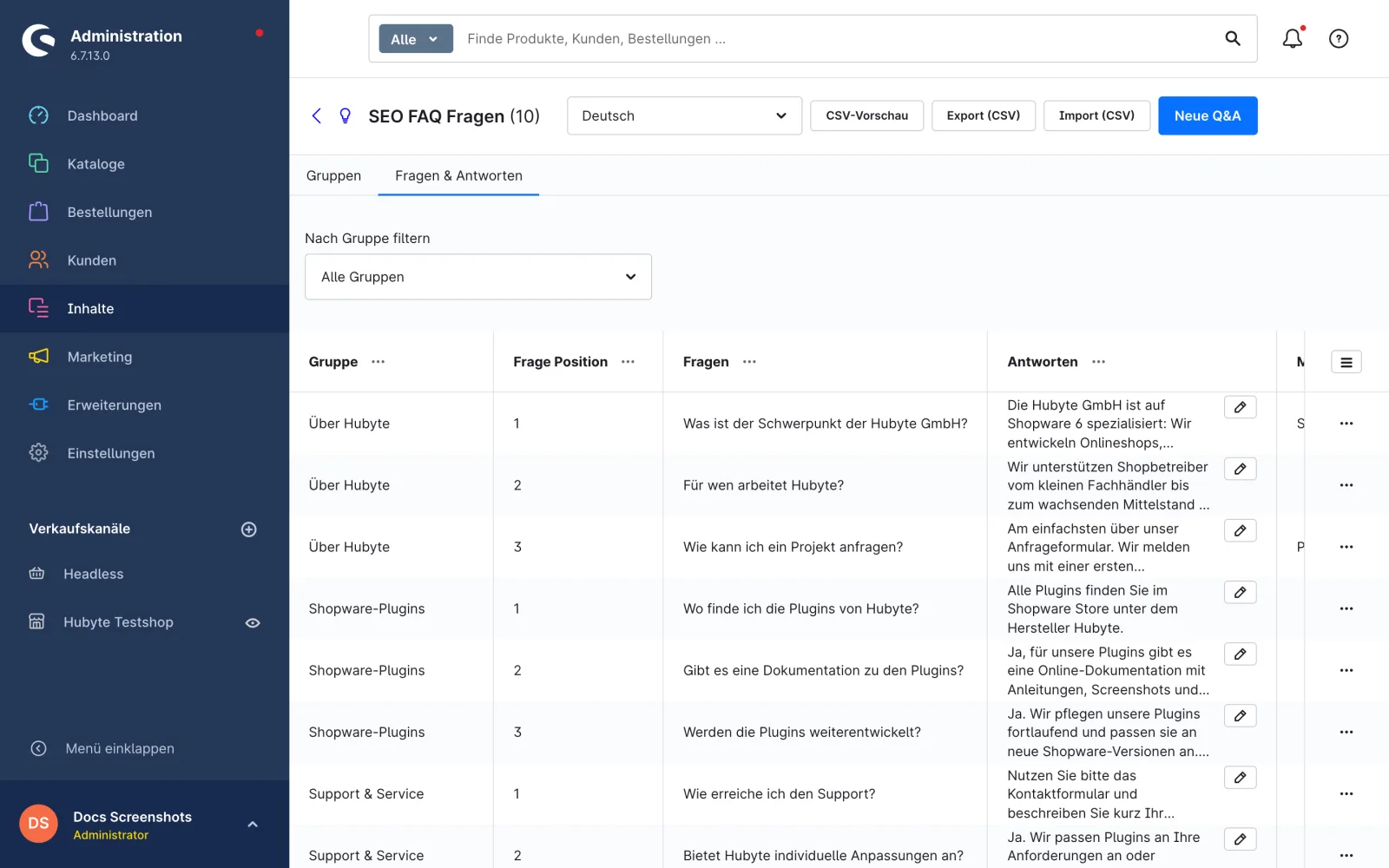
You maintain the FAQ entries under **Content > FAQ for SEO > tab Questions & Answers**.
## Create and edit a question
1. Click **New Q\&A**. If a group filter is set at the top, the new question is assigned to this group directly.
2. Double-click the row to edit it.
3. Fill in the fields and save the row using the check mark.
Tab Questions & Answers
## Columns
| Column | Description |
| --------------------- | ------------------------------------------------------------------------------------------------------------------------------------------------------ |
| **Group** | Group the question appears in. Without a group the question is not shown in the storefront. |
| **Question Position** | Sort order within the group (ascending). |
| **Question** | Question text. The URL of the question page is generated from it. |
| **Answer** | Answer text with formatting (see answer editor). |
| **Meta Title** | Page title of the question page. Empty = question text. |
| **Meta Description** | Meta description of the question page. Empty = meta description from the [plugin configuration](/faq-fuer-seo/english-documentation/konfiguration.md). |
| **Keywords** | Meta keywords of the question page (comma separated). |
All texts can be translated per language. Select the language at the top right.
## Answer editor
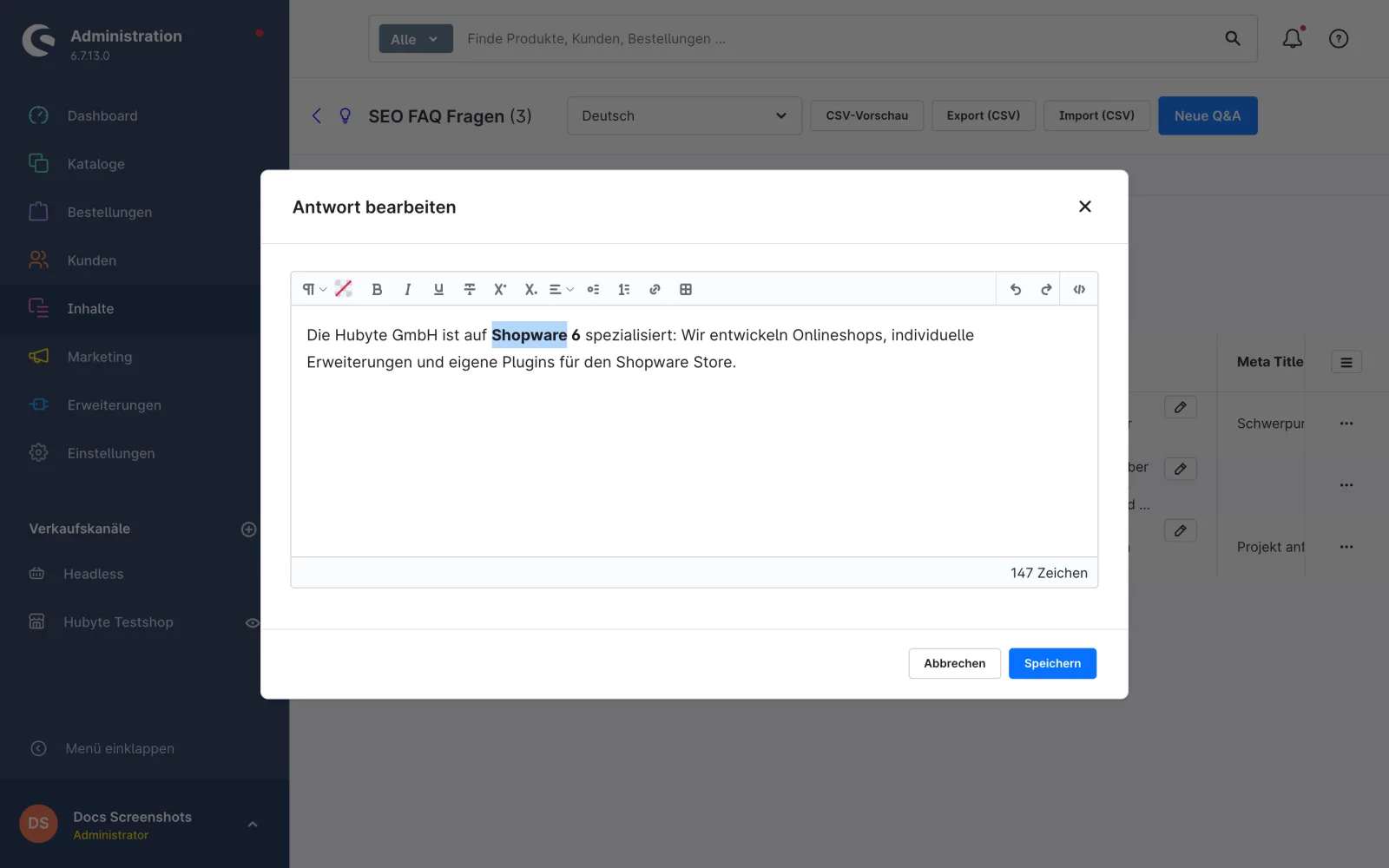
The **Answer** column shows a text preview and a **pencil button** next to it. It opens an editor for formatting the answer:
* bold, italic, underline
* links (also in a new window)
* text colour
* lists, headings, paragraphs
* HTML view for editing the source directly
Existing HTML in answers is preserved and displayed correctly in the editor.
* If the row is **not** in edit mode, **Save** in the editor saves the answer directly.
* If the row is in edit mode (double-click), **Apply** transfers the text into the row. It is then saved via the check mark of the row.
Answer editor
## Filter by group
Use the **Filter by group** select above the table to show only the questions of one group. When the page is opened, **All groups** is always selected.
Filter by group
## Maintaining many questions at once
With the buttons **CSV preview**, **Export (CSV)** and **Import (CSV)** you can maintain questions in bulk via CSV file, see [CSV import & export](/faq-fuer-seo/english-documentation/import-export.md).
> **Note:** The URL of a question is generated from the question text (German umlauts are transliterated, e.g. "ä" → "ae"). If you change the question text, the URL changes too. Use unique question texts, as two identical questions get the same URL.